Flink Sources 连接器
Flink CDC sources 是一组用于 Apache Flink® 的 source 连接器,使用变更数据捕获(change data capture,CDC)从不同的数据库摄取变更。 一些 CDC source 集成 Debezium 作为捕获数据变更的引擎,因此可以充分利用 Debezium 的能力。进一步了解什么是 Debezium。
你也可以阅读教程,了解如何使用这些 source。
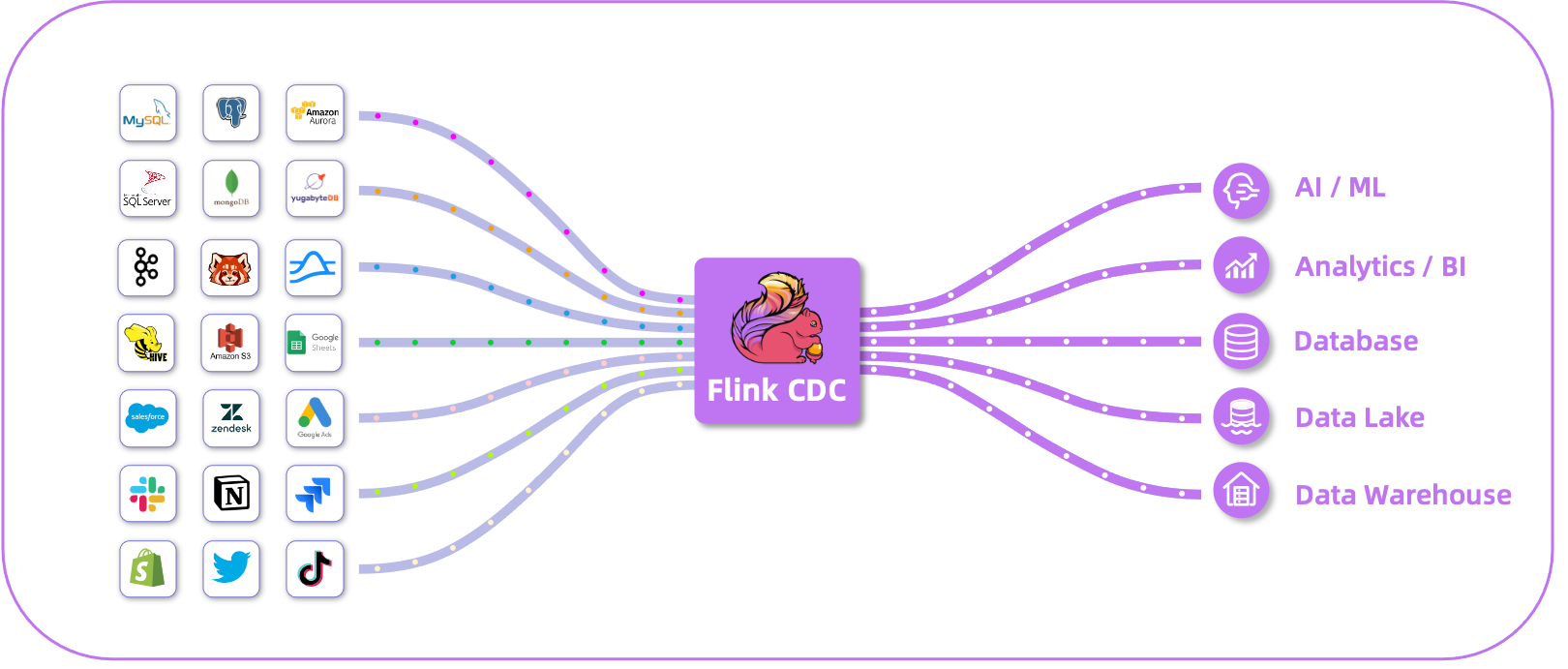
支持的连接器
| 连接器 | 数据库 | 驱动 | 下载页面 |
|---|---|---|---|
| mongodb-cdc | MongoDB 驱动:4.11.2 | mongodb-cdc | |
| mysql-cdc | JDBC 驱动:8.0.28 | mysql-cdc | |
| oceanbase-cdc | OceanBase 驱动:2.4.x | oceanbase-cdc | |
| oracle-cdc | Oracle 驱动:19.3.0.0 | oracle-cdc | |
| postgres-cdc | JDBC 驱动:42.5.1 | postgres-cdc | |
| sqlserver-cdc | JDBC 驱动:9.4.1.jre8 | sqlserver-cdc | |
| tidb-cdc | JDBC 驱动:8.0.27 | tidb-cdc | |
| db2-cdc | Db2 驱动:11.5.0.0 | db2-cdc | |
| vitess-cdc | MySQL JDBC 驱动:8.0.26 | vitess-cdc |
支持的 Flink 版本
下表展示了 Flink CDC 连接器和 Flink 之间的版本映射:
| Flink CDC 版本 | Flink 版本 |
|---|---|
| 3.7.* | 1.20.*, 2.2.* |
| 3.6.* | 1.20.*, 2.2.* |
| 3.5.* | 1.19.*, 1.20.* |
| 3.4.* | 1.19.*, 1.20.* |
| 3.3.* | 1.19.*, 1.20.* |
| 3.2.* | 1.17.*, 1.18.*, 1.19.*, 1.20.* |
| 3.1.* | 1.16.*, 1.17.*, 1.18.*, 1.19.* |
| 3.0.* | 1.14.*, 1.15.*, 1.16.*, 1.17.*, 1.18.* |
| 2.4.* | 1.13.*, 1.14.*, 1.15.*, 1.16.*, 1.17.* |
| 2.3.* | 1.13.*, 1.14.*, 1.15.*, 1.16.* |
| 2.2.* | 1.13.*, 1.14.* |
| 2.1.* | 1.13.* |
| 2.0.* | 1.13.* |
| 1.4.0* | 1.13.* |
| 1.3.0* | 1.12.* |
| 1.2.0* | 1.12.* |
| 1.1.0* | 1.11.* |
| 1.0.0* | 1.11.* |
特性
- 支持读取数据库快照,并继续读取 binlog,即使发生故障也能保证 Exactly-Once 处理。
- 面向 DataStream API 的 CDC 连接器,用户可以在单个作业中消费多个数据库和多张表的变更,而无需部署 Debezium 和 Kafka。
- 面向 Table/SQL API 的 CDC 连接器,用户可以使用 SQL DDL 创建 CDC source 来监控单张表的变更。
下表展示了当前各个连接器的特性:
| 连接器 | 无锁读取 | 并行读取 | Exactly-Once 读取 | 增量快照读取 |
|---|---|---|---|---|
| mongodb-cdc | ✅ | ✅ | ✅ | ✅ |
| mysql-cdc | ✅ | ✅ | ✅ | ✅ |
| oracle-cdc | ✅ | ✅ | ✅ | ✅ |
| postgres-cdc | ✅ | ✅ | ✅ | ✅ |
| sqlserver-cdc | ✅ | ✅ | ✅ | ✅ |
| oceanbase-cdc | ✅ | ✅ | ✅ | ✅ |
| tidb-cdc | ✅ | ❌ | ❌ | ❌ |
| db2-cdc | ✅ | ✅ | ✅ | ✅ |
| vitess-cdc | ✅ | ❌ | ❌ | ❌ |
Table/SQL API 的使用方式
使用所提供的连接器搭建 Flink 集群需要以下几个步骤。
- 搭建一个安装了 1.12+ 版本 Flink 和 Java 8+ 的 Flink 集群。
- 从下载页面下载连接器 SQL jar 包(或者自行构建)。
- 将下载的 jar 包放到
FLINK_HOME/lib/目录下。 - 重启 Flink 集群。
下面的示例展示了如何在 Flink SQL Client 中创建一个 MySQL CDC source 并执行查询。
-- creates a mysql cdc table source
CREATE TABLE mysql_binlog (
 id INT NOT NULL,
 name STRING,
 description STRING,
 weight DECIMAL(10,3),
 PRIMARY KEY(id) NOT ENFORCED
) WITH (
 'connector' = 'mysql-cdc',
 'hostname' = 'localhost',
 'port' = '3306',
 'username' = 'flinkuser',
 'password' = 'flinkpw',
 'database-name' = 'inventory',
 'table-name' = 'products'
);

-- read snapshot and binlog data from mysql, and do some transformation, and show on the client
SELECT id, UPPER(name), description, weight FROM mysql_binlog;
DataStream API 的使用方式
引入以下 Maven 依赖(可通过 Maven Central 获取):
<dependency>
  <groupId>org.apache.flink</groupId>
  <!-- add the dependency matching your database -->
  <artifactId>flink-connector-mysql-cdc</artifactId>
  <!-- The dependency is available only for stable releases, SNAPSHOT dependencies need to be built based on master or release branches by yourself. -->
  <version>3.0-SNAPSHOT</version>
</dependency>
import org.apache.flink.streaming.api.environment.StreamExecutionEnvironment;
import org.apache.flink.cdc.debezium.JsonDebeziumDeserializationSchema;
import org.apache.flink.cdc.connectors.mysql.source.MySqlSource;

public class MySqlBinlogSourceExample {
  public static void main(String[] args) throws Exception {
    MySqlSource<String> mySqlSource = MySqlSource.<String>builder()
            .hostname("yourHostname")
            .port(yourPort)
            .databaseList("yourDatabaseName") // set captured database
            .tableList("yourDatabaseName.yourTableName") // set captured table
            .username("yourUsername")
            .password("yourPassword")
            .deserializer(new JsonDebeziumDeserializationSchema()) // converts SourceRecord to JSON String
            .build();

    StreamExecutionEnvironment env = StreamExecutionEnvironment.getExecutionEnvironment();

    // enable checkpoint
    env.enableCheckpointing(3000);

    env
      .fromSource(mySqlSource, WatermarkStrategy.noWatermarks(), "MySQL Source")
      // set 4 parallel source tasks
      .setParallelism(4)
      .print().setParallelism(1); // use parallelism 1 for sink to keep message ordering

    env.execute("Print MySQL Snapshot + Binlog");
  }
}
反序列化
下面的 JSON 数据展示了 JSON 格式的变更事件。
{
  "before": {
    "id": 111,
    "name": "scooter",
    "description": "Big 2-wheel scooter",
    "weight": 5.18
  },
  "after": {
    "id": 111,
    "name": "scooter",
    "description": "Big 2-wheel scooter",
    "weight": 5.15
  },
  "source": {...},
  "op": "u",  // the operation type, "u" means this this is an update event
  "ts_ms": 1589362330904,  // the time at which the connector processed the event
  "transaction": null
}
注意: 请参阅 Debezium 文档 了解每个字段的含义。
在某些情况下,用户可以使用 JsonDebeziumDeserializationSchema(true) 构造函数在消息中包含 schema。此时 Debezium JSON 消息可能如下所示:
{
  "schema": {
    "type": "struct",
    "fields": [
      {
        "type": "struct",
        "fields": [
          {
            "type": "int32",
            "optional": false,
            "field": "id"
          },
          {
            "type": "string",
            "optional": false,
            "default": "flink",
            "field": "name"
          },
          {
            "type": "string",
            "optional": true,
            "field": "description"
          },
          {
            "type": "double",
            "optional": true,
            "field": "weight"
          }
        ],
        "optional": true,
        "name": "mysql_binlog_source.inventory_1pzxhca.products.Value",
        "field": "before"
      },
      {
        "type": "struct",
        "fields": [
          {
            "type": "int32",
            "optional": false,
            "field": "id"
          },
          {
            "type": "string",
            "optional": false,
            "default": "flink",
            "field": "name"
          },
          {
            "type": "string",
            "optional": true,
            "field": "description"
          },
          {
            "type": "double",
            "optional": true,
            "field": "weight"
          }
        ],
        "optional": true,
        "name": "mysql_binlog_source.inventory_1pzxhca.products.Value",
        "field": "after"
      },
      {
        "type": "struct",
        "fields": {...},
        "optional": false,
        "name": "io.debezium.connector.mysql.Source",
        "field": "source"
      },
      {
        "type": "string",
        "optional": false,
        "field": "op"
      },
      {
        "type": "int64",
        "optional": true,
        "field": "ts_ms"
      }
    ],
    "optional": false,
    "name": "mysql_binlog_source.inventory_1pzxhca.products.Envelope"
  },
  "payload": {
    "before": {
      "id": 111,
      "name": "scooter",
      "description": "Big 2-wheel scooter",
      "weight": 5.18
    },
    "after": {
      "id": 111,
      "name": "scooter",
      "description": "Big 2-wheel scooter",
      "weight": 5.15
    },
    "source": {...},
    "op": "u",  // the operation type, "u" means this this is an update event
    "ts_ms": 1589362330904,  // the time at which the connector processed the event
    "transaction": null
  }
}
通常,建议排除 schema,因为 schema 字段会使消息非常冗长,从而降低解析性能。
JsonDebeziumDeserializationSchema 还可以接受 JsonConverter 的自定义配置,例如,如果你想为 decimal 数据获得数值形式的输出,
可以按照如下方式构造 JsonDebeziumDeserializationSchema:
 Map<String, Object> customConverterConfigs = new HashMap<>();
 customConverterConfigs.put(JsonConverterConfig.DECIMAL_FORMAT_CONFIG, "numeric");
 JsonDebeziumDeserializationSchema schema =
      new JsonDebeziumDeserializationSchema(true, customConverterConfigs);
从源码构建
前置条件:
- git
- Maven
- 至少 Java 8
git clone https://github.com/apache/flink-cdc.git
cd flink-cdc
mvn clean install -DskipTests
现在,这些依赖可以在你本地的 .m2 仓库中使用了。
Copyright © 2026 The Apache Software Foundation. Apache Flink, Flink, and the Flink logo are trademarks of The Apache Software Foundation.